Learning Center: Tech Tip
Welcome to CD Technology's Tech Tip Page, your go-to resource for practical advice, insights, and solutions to help you navigate the ever-evolving world of technology. Whether you're a tech enthusiast, a business owner, or an IT professional, our page is designed to provide you with valuable tips and tricks to enhance your tech skills and boost your productivity.
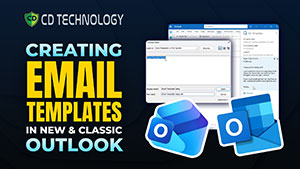
Email Templates in Outlook | Save Time + Boost Productivity. Learn how to create and use Email Templates in Microsoft Outlook to stop typing the same emails over and over again and save hours every week. In this step-by-step Outlook tech tip, we’ll show you how to set up reusable templates so you can respond faster, stay consistent, and boost your email workflow productivity.
What you’ll learn in this video:
- How to create Outlook email templates
- How to insert templates when composing messages
- Tips for using templates for client replies, follow-ups, and routine emails
- Workflow improvements for business & personal Outlook users
3 Best AI Meeting Note Takers in 2026. In this video, we compare 3 of the best AI meeting note-taking assistants: Fireflies.ai, Microsoft Copilot, and Otter.ai — and break down which meeting platforms they work best with.
In This Video We Cover:
- Fireflies.ai features + best integrations
- Microsoft Copilot for Teams meetings
- Otter.ai meeting transcription & summaries
- Which platforms each tool works best with (Zoom, Teams, Google Meet)
- Pros and cons of each AI assistant
- Who each tool is best for
How to Set Up OneDrive Folder Sync. In this video, we walk you through how to set up OneDrive folder sync so your files stay backed up, synced across devices, and easy to access from anywhere.
What You’ll Learn:
- How to set up OneDrive folder sync step-by-step
- How to sync files between your computer and the cloud
- How to access synced files across devices
- Best practices for organizing and managing synced folders
- How OneDrive improves productivity and data security
Why Vulnerability Scanning is Critical for Cybersecurity (Protect Your Business). In this video, we explain the importance of consistent vulnerability scanning and how it helps identify security weaknesses before hackers can exploit them. Regular vulnerability scans are a critical part of any strong cybersecurity strategy.
What You’ll Learn:
- What vulnerability scanning is
- Why consistent scanning is essential for cybersecurity
- How vulnerabilities put your business at risk
- The benefits of proactive security monitoring
- How regular scans help prevent cyber attacks
How to Password Protect a Word Document | Microsoft Word Tutorial. In this video, we show you how to password protect a Microsoft Word document to keep sensitive information safe from unauthorized access. This simple security step can help protect business files, personal documents, and confidential data.
What You’ll Learn:
- How to add a password to a Word document
- Where to find security settings in Microsoft Word
- How to protect sensitive files from unauthorized access
- Best practices for document security
What is Multi-Factor Authentication (MFA)? | Protect Your Accounts in Minutes. In this video, we break down Multi-Factor Authentication (MFA) — one of the simplest and most effective ways to protect your personal and business data from cyber threats.
What You’ll Learn:
- What Multi-Factor Authentication (MFA) is
- How MFA protects your accounts from hackers
- Examples of authentication factors (password, phone, biometrics)
- Why passwords alone are no longer enough
- How to start using MFA today
How to Change Mouse Settings on Your Computer (Speed, Sensitivity & More). In this quick tutorial, we show you how to easily change mouse settings on your computer, including pointer speed, sensitivity, scrolling, and more. Whether your mouse feels too fast, too slow, or just not right — these simple adjustments can make a big difference.
What You’ll Learn:
- How to change mouse speed and sensitivity
- How to adjust scrolling settings
- Where to find mouse settings in Windows
- Tips to improve accuracy and control
- How to customize your mouse for productivity

Is Your Computer Slowing You Down? How Hardware Impacts Productivity. In this video, we explain how outdated or underperforming hardware can negatively impact your daily workflow — and what you can do to fix it. From slow load times to system lag, your hardware plays a critical role in how efficiently you and your team get work done.
What You’ll Learn:
- How hardware affects productivity
- Signs your computer is slowing you down
- Common performance issues (slow speed, lag, crashes)
- When it’s time to upgrade your hardware
- How better technology improves efficiency
5 Ways to Use Microsoft Copilot | Boost Productivity in Microsoft 365. In this video, we show you 5 powerful ways to use Microsoft Copilot to boost productivity, automate tasks, and work smarter across Microsoft 365 apps like Outlook, Word, Excel, and Teams.
What You’ll Learn:
- 5 real-world ways to use Microsoft Copilot
- How Copilot works across Microsoft 365 apps
- Ways to automate emails, documents, and tasks
- How to save time using AI at work
- Practical examples for business users
3 Benefits of Microsoft Planner | Boost Team Productivity in Microsoft 365. In this video, we break down 3 key benefits of Microsoft Planner and how it helps teams stay organized, collaborate more effectively, and track work inside Microsoft 365.
What You’ll Learn:
- What Microsoft Planner is and how it works
- 3 major benefits of using Planner for task management
- How Planner improves team collaboration
- Why Planner is ideal for Microsoft 365 users
- Real-world use cases for businesses and teams
How To Catch Bank Fraud Early- Bank fraud is on the rise—and small businesses are a top target. In this short video, CD Technology explains two simple, powerful steps to protect your business account from cybercriminals.
- Learn how to set up real-time bank withdrawal alerts
- Discover why two-factor authentication (2FA) is essential for banking security
- Understand how these quick actions can prevent major financial losses
Client Data Protection in 2025- With new privacy laws taking effect, businesses in 2025 face higher expectations when it comes to data protection. In this video, CD Technology walks you through the essentials every business should have in place to keep client information secure and compliant.
- Learn why written policies and encryption are no longer optional
- Discover the transparency tools your clients expect
- Understand how compliance documentation protects your business
Why You Should Never Use Your Work Computer for Personal Browsing- Are you using your work laptop to check Gmail or scroll Facebook? If so, you might be putting your entire company at risk. In this short video, CD Technology explains why mixing personal use with work devices is a major cybersecurity threat.
- Learn how compromised personal accounts can expose your business
- Understand why you should never browse personal sites from a company PC
- Discover why multifactor authentication (MFA) is a must for your personal accounts
Think Before You Hit Send- E-mail is fast, convenient—and legally risky. In this short video, CD Technology breaks down what business owners and employees need to know before sending sensitive information by e-mail.
- Discover how deleted e-mails can still be used in court
- Understand why work e-mail isn’t truly private
- Learn a simple mindset shift that protects your reputation and business
Protecting your business from cyber threats starts with more than just firewalls and antivirus software—it requires ongoing employee training and a strong Acceptable Use Policy (AUP). In this quick tech tip video, CD Technology breaks down the essential layers of cybersecurity every small business needs, especially in today’s remote and hybrid work environments. Learn why a well-maintained IT security foundation, paired with proper employee education, is key to preventing data breaches, phishing attacks, and compliance violations. If you’re a business owner in Tennessee looking to improve cybersecurity and protect your company’s sensitive information, this video is a must-watch.
Protecting your business from cyber threats starts with more than just firewalls and antivirus software—it requires ongoing employee training and a strong Acceptable Use Policy (AUP). In this quick tech tip video, CD Technology breaks down the essential layers of cybersecurity every small business needs, especially in today’s remote and hybrid work environments. Learn why a well-maintained IT security foundation, paired with proper employee education, is key to preventing data breaches, phishing attacks, and compliance violations. If you’re a business owner in Tennessee looking to improve cybersecurity and protect your company’s sensitive information, this video is a must-watch.
Secure Your Passwords Today
Storing passwords (and credit cards) in your browser is not ideal for two reasons.
Modern Cybersecurity Essentials
Traditional antivirus is like having a security guard who only checks IDs – helpful, but not enough for today’s threats.
Protect Your Business Bank Account
Here’s a shocking truth: If a hacker steals money from your business bank account, your bank often won’t cover the loss. Business accounts don’t have the same protections as personal ones.
Protect Your Data at Home
If you are working from home AND you’re using a personal device such as a smartphone or personal laptop to log in to company-owned cloud applications – STOP! Unless your personal device is covered under one of our managed security plans, you could accidentally introduce a virus or hacker to the company’s network.
Protect Your Webcam Privacy:
Here’s a disturbing but very real tactic for hackers: spying on you via your device’s camera. Some simply watch you for fun.
Signs of email takeover:
E-mail account takeover represents 38% of the fraud happening online, but how do you know you are a victim? Here are five telltale signs:
Simplify your Password security:
Let’s face it – managing passwords is a pain! Between remembering dozens of complex passwords and dealing with constant password changes, it’s no wonder people resort to using “Password123!” (please don’t!).
Understanding Zero Trust Security:
You might have heard the term “zero trust” being thrown around lately. While it sounds a bit harsh (trust no one?!), it’s actually a smart and simple way to protect your business. Let me break it down into everyday terms…
Protect your privacy from hackers:
Here’s a disturbing but very real tactic for hackers: spying on you via your device’s camera. Some simply watch you for fun.
What not to do if working from home:
If you are working from home AND you’re using a personal device such as a smartphone or personal laptop to log in to company-owned cloud applications – STOP!
Modern cybersecurity essentials:
Traditional antivirus is like having a security guard who only checks IDs – helpful, but not enough for today’s threats.
Secure Your Passwords today:
Storing passwords (and credit cards) in your browser is not ideal for two reasons.
Enhance Privacy with VPN:
A Virtual Private Network, or VPN, is a service that creates a secure, encrypted connection between your device and the internet.
Prevent Ransomware:
Did you know that the #1 threat to ALL organizations is internal employees? The people you trust to run your organization are the very same ones putting it at risk: downloading software they shouldn't, falling for phishing scams, clicking on bad links, using weak passwords and opening infected files.
Don't Be Tracked On Line:
To limit the data gathered on you when surfing the web, trade in your current browser for DuckDuckGo. Unlike Google and Bing, DuckDuckGo doesn't track you online, your history and searches, linking them back to you.
Dark Web Safety:
The "dark web" or "deep web" is a part of the World Wide Web we know and love that is accessible ONLY via a special software that allows users and website operators to remain completely anonymous and untraceable. That's why it's the playground for hackers, cybercriminals, drug deals, human trafficking and more.
Backup Practices:
First, you would have to be able to "fail over" to your backup systems. This is like putting a spare donut tire on your car in case you get a flat. Next, you have to "fail back," or restore your network from the backup. Using the flat-tire analogy, this is like replacing the donut with a new tire.
Strengthen Cloud Security:
If you're using any kind of cloud application (and these days, who isn't?), you are right to be concerned about data privacy and security. The company hosting your data is ultimately responsible for keeping hackers out of THEIR network, but most cloud breaches are due to USER ERROR. So, it's important that you, the user, are being smart about security. Here are a few things you can easily do to improve security in the cloud:
Steps To Do If You Lost Laptop:
So, you're in the car on the way home from Starbucks, basking in the glow of consuming your triple-shot, low-foam, extra-hot pumpkin-spice latte, when you suddenly realize your laptop has gone missing. You drive back like the caffeinated lunatic you are, only to discover no one has turned it in. What do you do? That depends on what precautions you have (or haven't!) taken.
Protecting Your Customers Information:
Privacy and security are important to your organization, but they're even more important to those whom you serve. Nearly 75% of Americans feel it is "extremely" or "very" important that the companies they work with keep their information under lock and key and the companies have easy-to-understand explanations of what information is shared with whom and how it is shared.