 For small businesses across East Tennessee, choosing the right server setup can make or break productivity. Whether you’re storing files, running applications, or hosting databases, your server is the backbone of your daily operations.
But there’s one question every growing company faces: Should you invest in on-premise servers or move to the cloud?
The answer depends on your goals, budget, and network requirements. Let’s break down what each option offers—and how to make the right call for your business.
Understanding the Basics of Small Business Server Setup
A small business server setup provides centralized storage, security, and performance for your team. It enables shared access to files, databases, and software, while protecting your data from loss or unauthorized access.
Whether you choose on-premise hardware or cloud infrastructure, every deployment involves three essential phases:
1️⃣ Business server installation — hardware or virtual environment setup
2️⃣ Server configuration — network roles, access permissions, and software integration
3️⃣ Ongoing network server support — updates, monitoring, and performance optimization
Your choice of infrastructure—on-site or cloud—will determine how each of these phases is managed.
On-Premise Servers: Full Control, Local Responsibility
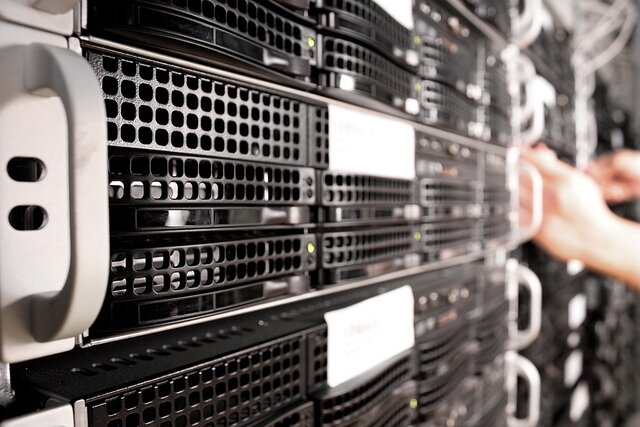
An on-premise server is a physical device installed within your office or data room. You own and manage the hardware, software, and maintenance.
🔧 Technical Advantages
- Complete control: You decide when to upgrade, backup, or replace components.
- Custom configuration: Tailored server configuration for specific workloads (e.g., accounting, file hosting, or databases).
- Local performance: No dependency on internet speed for internal network operations.
⚙️ Technical Challenges
- Upfront cost: Hardware, licensing, and setup require higher initial investment.
- Maintenance burden: Cooling, power, security, and updates fall on your internal or outsourced IT team.
- Limited scalability: Adding capacity requires new hardware and potential downtime.
Best for: Businesses with regulatory requirements, legacy applications, or strong internal IT support.
Cloud Servers: Flexible, Scalable, and Cost-Efficient
Cloud server solutions move your infrastructure off-site and into a virtual environment managed by providers like Microsoft Azure, Amazon Web Services (AWS), or Google Cloud.
☁️ Technical Advantages
- Scalability: Add or remove computing resources instantly based on business demand.
- Disaster recovery built-in: Data is mirrored across multiple secure data centers.
- Automatic updates: Cloud providers handle patches and hardware maintenance.
- Remote access: Ideal for hybrid or fully remote teams.
⚠️ Technical Considerations
- Internet dependency: Performance relies on your connection quality.
- Ongoing subscription cost: Monthly operational expenses vs. one-time capital purchase.
- Limited local control: Hardware-level customization is managed by the provider.
Best for: Businesses that prioritize flexibility, mobility, and reduced internal maintenance.
Comparing On-Premise vs. Cloud Servers
| Feature | On-Premise Server | Cloud Server |
| Initial Cost | High (hardware & setup) | Low (subscription-based) |
| Maintenance | Manual updates & support | Provider-managed |
| Scalability | Hardware-dependent | Instantly scalable |
| Performance | Local network speed | Internet-dependent |
| Security Control | Full internal control | Shared responsibility |
| Disaster Recovery | Manual backup required | Built-in redundancy |
Implementation Strategies for East Tennessee Businesses
The right deployment strategy depends on your workflow and long-term goals.
🖥️ On-Premise Implementation
- Plan physical server placement with proper cooling and power supply.
- Configure RAID for data redundancy.
- Establish regular backup to offsite storage or cloud redundancy.
- Schedule proactive network server support for updates and patches.
☁️ Cloud Implementation
- Choose a reputable provider (Azure, AWS, Google Cloud).
- Assess compliance and data residency requirements.
- Configure secure remote access with MFA and VPN.
- Integrate cloud apps with your existing network infrastructure for seamless collaboration.
🔁 Hybrid Approach (Best of Both Worlds)
Many small businesses now use a hybrid model—keeping critical files and applications on local servers for speed, while hosting backups, email, and collaboration tools in the cloud.
This approach offers performance, security, and flexibility without overcommitting to one side.
Ongoing Maintenance and Network Server Support
Whether on-premise or cloud-based, servers require consistent attention. Regular network server support includes:
- System performance monitoring
- Security patch management
- Data backup testing
- Network optimization and access control
- Hardware lifecycle management
Proactive maintenance prevents downtime, extends server lifespan, and ensures business continuity—especially in industries that rely on uptime, like manufacturing, finance, and healthcare.
Final Thoughts
Choosing between on-premise and cloud servers isn’t about right or wrong—it’s about aligning technology with your business goals.
If you value control and compliance, on-premise might be ideal. If you prioritize flexibility and scalability, cloud solutions are the future.
No matter your choice, professional small business server setup ensures smooth installation, optimized performance, and long-term reliability.
👉 Ready to evaluate your infrastructure? Schedule your server assessment consultation today and discover the best solution for your East Tennessee business.